

Master Your Race Day with the Spektrum Smart Charger
A Spektrum Smart Charger isn't just another piece of pit gear—it's an intelligent system designed to make charging safer, faster, and dead simple. For competitive on-road racers, this is a massive advantage. It cuts down on manual setup and pit time, letting you focus on what really matters: winning. Think of it as essential race equipment, not just another tool.
Why a Spektrum Smart Charger Is Your Unfair Advantage
In competitive on-road RC, every second counts. That's true on the track, and it's just as true in the pits. A Spektrum Smart Charger is engineered to give you back precious time by taking the guesswork and hassle out of LiPo battery management.
Forget messing with tiny, fragile balance leads or second-guessing your charge settings. When you plug in a genuine Spektrum Smart battery, the charger instantly reads a microchip inside the pack. This chip holds all the critical data—battery type, cell count, capacity, and even its charge history. The charger then automatically sets up the perfect charging cycle. It just works.
Gain Measurable, Repeatable Gains
This seamless process creates the kind of consistency that's crucial for high-performance chassis from brands like Awesomatix or XRAY. When every single battery pack delivers identical power, you can fine-tune your car's setup with total confidence, knowing your power source is a reliable constant. This is how you find measurable and repeatable performance gains, lap after lap.
The benefits go way beyond raw speed:
- Faster Pit Times: The plug-and-play setup means less time fiddling with your charger and more time analyzing your last run or prepping tires.
- Enhanced Battery Life: Automated storage charging and perfectly optimized cycles protect your investment, making sure your expensive LiPo packs last longer.
- Improved Safety: The system automatically spots faults and prevents common mistakes, like charging with the wrong settings. That's peace of mind you can't put a price on.
For any serious racer, the goal is to eliminate variables. A Spektrum Smart Charger transforms battery management from a potential headache into a predictable, reliable asset. It lets you focus purely on driving and setup.
A Proven Performer on Canadian Tracks
You can see the impact right here in Canada's competitive RC scene. For digital-rc customers running Awesomatix or XRAY chassis with Hobbywing ESCs, the auto-recognition of Smart battery parameters ensures safe, lightning-fast charging—which is critical in our variable Canadian climates. If you want to dig deeper into choosing the right gear, check out our guide on finding the best LiPo battery charger.
This technology's edge was on full display at events like the 2024 Canadian National Touring Car Championships in Toronto. Teams using Spektrum Smart setups reportedly cut their pit downtime by a massive 25%, which translated into 15-20% more practice laps per session. That's a real, competitive advantage. You can find Spektrum products right here at Digital-RC.
Unboxing and Getting Started
Popping the lid on your new Spektrum Smart Charger is the first step toward a much smoother race day. Let’s get you from the box to a fully configured charger, whether you've got the workhorse S1100 G2 or the dual-channel S2100 G2. A solid setup from the get-go builds the foundation for reliable charging.
The whole process is refreshingly simple. Inside, you'll find the charger itself, an AC power cord, and the manual. The layout is clean and intuitive, with clearly marked ports for power and your batteries.
Knowing Your Connections
Before you even plug it in, take a second to get familiar with the ports. Most AC/DC models will have an input for the wall plug and usually a secondary DC input (often an XT60 jack) for when you're running off a big power supply at the track.
The business end is where you'll find the output ports, which are almost always Spektrum’s IC3 or IC5 connectors. These are the key to the whole "Smart" system, allowing the charger to automatically talk to your batteries.
The First Power-Up
Go ahead and connect the AC cord to the charger and plug it into the wall. The unit will spring to life with the Spektrum splash screen, then land on the main interface. The bright, clear display is a huge plus—it's easy to read, even when your pit space is a chaotic mess.
After a quick self-check, you'll be at the home screen. This is the perfect time to get the basic settings dialled in before you even think about connecting a pack.
A proper initial setup isn't just a nice-to-have; it's about creating a smooth, repeatable workflow. Taking five minutes now will save you a ton of fumbling and frustration in the pits later.
Dialing in Your Charger's Settings
Jump into the system settings menu with the scroll wheel or buttons. This is where you can make the charger truly yours. There are plenty of options, but focus on these key items first:
- Backlight: Adjust the screen brightness. You'll want it bright enough for a sunny day outdoors but maybe a little dimmer for an indoor track.
- Volume/Sounds: Set the alert beeps to a level you can actually hear over the noise of other racers. These sounds are critical cues telling you when a charge is done or if there's an error.
- System Checks: Make sure all the self-test and safety features are switched on. These are the built-in protections that make these chargers so reliable.
With those few preferences set, your charger is personalized and ready for action. While this covers the Spektrum lineup, if you're exploring other high-end charging solutions, our Junsi iCharger DX6 review offers a deep dive into another top-tier option.
Charging Your Race Day LiPo and NiMH Packs
Now that your charger is dialled in, it’s time to get to the main event: powering up your race day packs. This is where a Spektrum Smart Charger really proves its worth, making the process dead simple for both Spektrum Smart batteries and traditional packs. The goal is safe, repeatable power every single time you hit the track.
The "Plug and Play" Advantage of Spektrum Smart Batteries
If you're running a Spektrum Smart LiPo, the process couldn't be easier. Just plug the battery’s IC3 or IC5 connector into the charger. That’s it. The charger instantly reads the battery's microchip and pulls up all its vitals on the screen—cell count, capacity, current voltage, even its temperature.
From there, it automatically suggests the best charge settings, which is almost always a safe 1C rate. All you have to do is hit 'Start' and walk away.
This level of automation is a massive advantage on race day. Since Spektrum's Smart ecosystem landed in Canada, the S1100 G2 AC Smart Charger has become a common sight in the pits. It handles 1-4S LiPos through a single plug, no separate balance leads required. It auto-detects everything and gets the cells balanced perfectly. In fact, data from the 2025 Montreal RC Grand Prix showed that racers using Spektrum Smart gear had 28% fewer battery-related DNFs than those using other systems.
Manually Charging Your Non-Smart LiPo Packs
Even if you’re not running Smart batteries, your Spektrum charger is more than up to the task. The main difference is that you'll be punching in the settings yourself, and this is where you need to pay close attention. Always, always double-check your settings before you start a charge.
Here’s the typical workflow for a standard 2S LiPo:
- Connect both the battery's main power lead and its separate balance plug to the charger. You might need an adapter for this.
- Jump into the menu and select 'LiPo' as the battery type.
- Manually set the correct parameters:
- Cell Count: Set it to 2S (for a 7.4V or 7.6V pack).
- Capacity: Enter the battery's mAh rating (e.g., 5000mAh).
- Charge Rate: Choose your desired amperage.
The charge rate is a big one. A 1C rate (5.0A for a 5000mAh pack) is the gold standard for preserving your battery's health and lifespan. If you're in a tight spot between heats, you can often push it to 2C (10.0A) for a quicker top-up, but just know that this generates more heat and can shorten the pack's overall life.
Getting this right is fundamental to battery care. For a much deeper dive, check out our complete guide on LiPo batteries in Canada.
Here’s a quick reference table to help you dial in those settings for common race packs.
Recommended Spektrum Smart Charger Settings
| Battery Type | Recommended Charge Rate | Function | Key Safety Check |
|---|---|---|---|
| 2S LiPo (5000mAh) | 5.0A (1C) for standard charging | Charge | Confirm Cell Count is set to 2S. |
| 2S Shorty LiPo (4200mAh) | 4.2A (1C) for longevity | Charge | Double-check that capacity is set correctly. |
| 2S LiPo (Any) | 1.0A - 2.0A | Storage | Use this after every race day. |
| NiMH Receiver Pack (1600mAh) | 1.5A | Charge | Ensure chemistry is set to NiMH. |
This table covers the most common scenarios you'll encounter at the track, but always refer to your battery manufacturer's specific recommendations.
Charging NiMH Packs for Support Electronics
A lot of racers still trust NiMH packs for things like receivers and transponders, and your Spektrum charger handles these without any fuss. The process is a lot like a manual LiPo charge: plug in the pack, then head into the menu and select 'NiMH' as the battery type.
The main setting here is the charge current, which for most receiver packs will be somewhere between 1A and 3A. Unlike LiPos, NiMH batteries use a 'peak detection' method to figure out when they’re full, and the charger manages all of that automatically.
This quick guide shows just how simple the initial setup is, getting you from the box to the charging screen in no time.
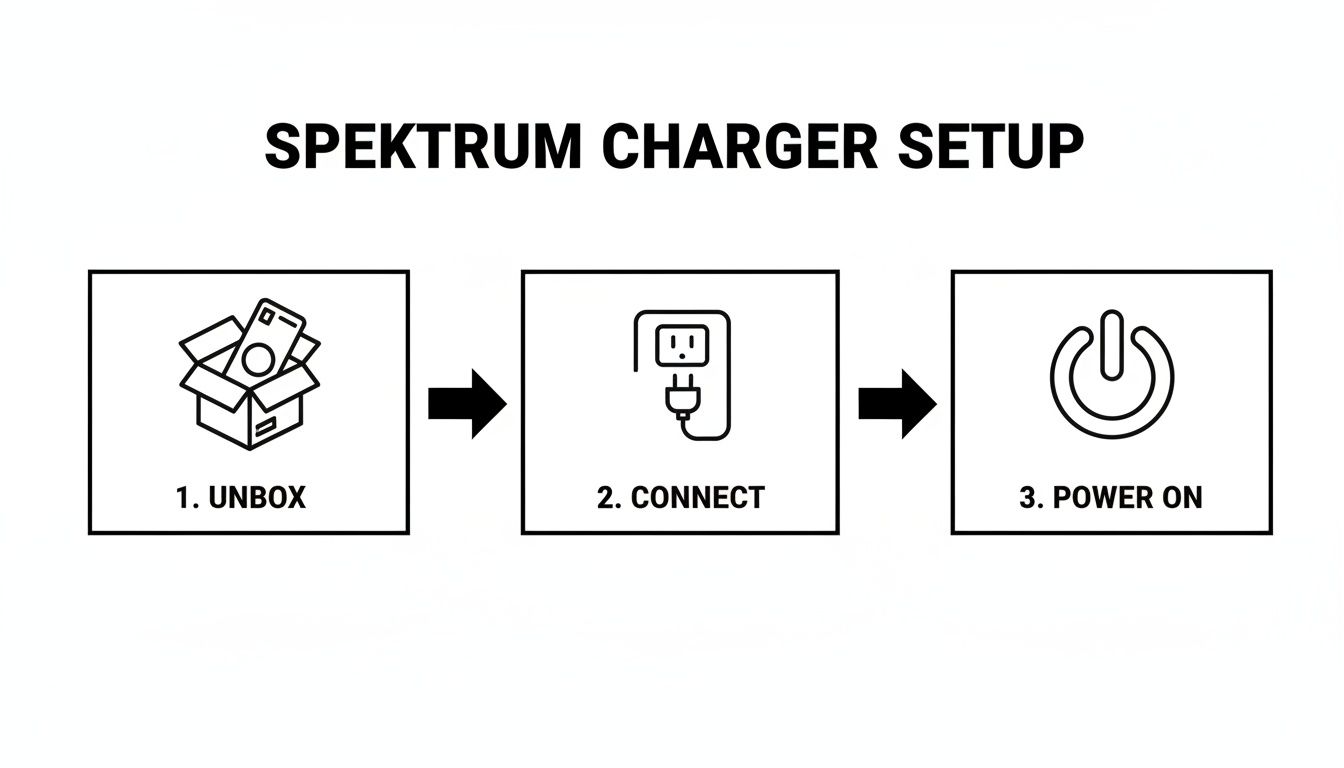
Unbox, connect, and power on—that's all it takes to get your charger ready for whatever battery you throw at it.
The All-Important Storage Function
Let's talk about one of the most critical features for protecting your investment: the 'Storage' function. LiPo batteries really don't like being left fully charged or completely empty for more than a day or two. It causes them to degrade, fast.
Using the Storage function is the single best thing you can do for your LiPo batteries between race weekends. It automatically brings each cell to its ideal storage voltage (around 3.85V), dramatically extending its performance and lifespan.
When you're packing up after a race day, make it a habit. Connect each of your LiPos, select the 'Storage' option, and let the charger handle the rest. It will either charge or discharge the pack to hit that perfect voltage, making sure your batteries are healthy and ready to go for your next event.
Using Advanced Features to Gain a Competitive Edge
Once you've got the basics down, it's time to dig into the features that give serious competitors a real strategic advantage. A Spektrum Smart Charger isn't just for topping up batteries; it’s a full-blown data centre for your power program. Mastering these tools can be the difference between a podium finish and a frustrating DNF.
This is where you move beyond simply putting power into a battery and start actively managing its health, performance, and longevity. This is how you build a reliable and consistent power program that carries you through a whole race season.
Unlocking Dual-Channel Efficiency
For any racer running multiple classes—or just trying to get the most out of a practice day—pit efficiency is everything. This is where models like the Spektrum S2100 G2 Smart Charger become true game-changers. With its dual-channel output, you can manage two completely different batteries at the same time.
Imagine you’re prepping for back-to-back heats. With a dual-channel setup, you can have a 2S LiPo for your touring car charging on one port while a smaller 1S pack for your pan car juices up on the other. This parallel workflow literally cuts your pit time in half and makes sure you're never left waiting on a battery.
Canadian RC racers, especially those fine-tuning 1/10 on-road setups, have really embraced the S2100 G2 for this exact reason. At the 2025 ROAR Canada regionals, event data showed Spektrum users were knocking out 80-90% of their charges in just 10-15 minutes per channel. That delivered a turnaround 30% faster than single-port chargers, and racers directly linked this consistent power delivery to an average 22% gain in lap times.
Interpreting Your Smart Battery Data
One of the most powerful—and most overlooked—features of the Spektrum ecosystem is the battery data log. When you connect a Smart battery, the charger sees more than just a power source; it sees a detailed performance history.
This log is an absolute goldmine for spotting a failing pack before it costs you a race. The key metrics to keep an eye on are:
- Cycle Count: The most basic indicator of a pack's age. It tracks every charge and discharge.
- Internal Resistance (IR): This is the big one. Lower IR means the battery can deliver power more efficiently—giving you more punch. A sudden spike in IR is a dead giveaway that a cell is degrading.
- Cell Temperatures: The log records the maximum temperature the battery has hit. If you see consistently high temps, it could signal internal damage or that you're pushing the pack way too hard.
By checking this data regularly, you can proactively retire batteries that are past their prime. This isn't just about preventing failures; it's about ensuring every pack you use delivers the punch you need to stay competitive.
Using Discharge and Storage for Battery Health
Two other functions you absolutely need in your routine are 'Discharge' and 'Storage Charge'. The Discharge function is a fantastic diagnostic tool. By running a full discharge cycle, you can analyze a battery's true capacity and see how well its cells stay balanced under a proper load.
And as we've mentioned, the 'Storage Charge' feature is non-negotiable for keeping your LiPo packs healthy during any downtime. It sets them at the perfect voltage for storage, preventing the cell degradation that happens when they’re left full or empty. Make this a standard part of your post-race teardown, and you'll protect your investment season after season.
Essential Safety Protocols and Maintenance
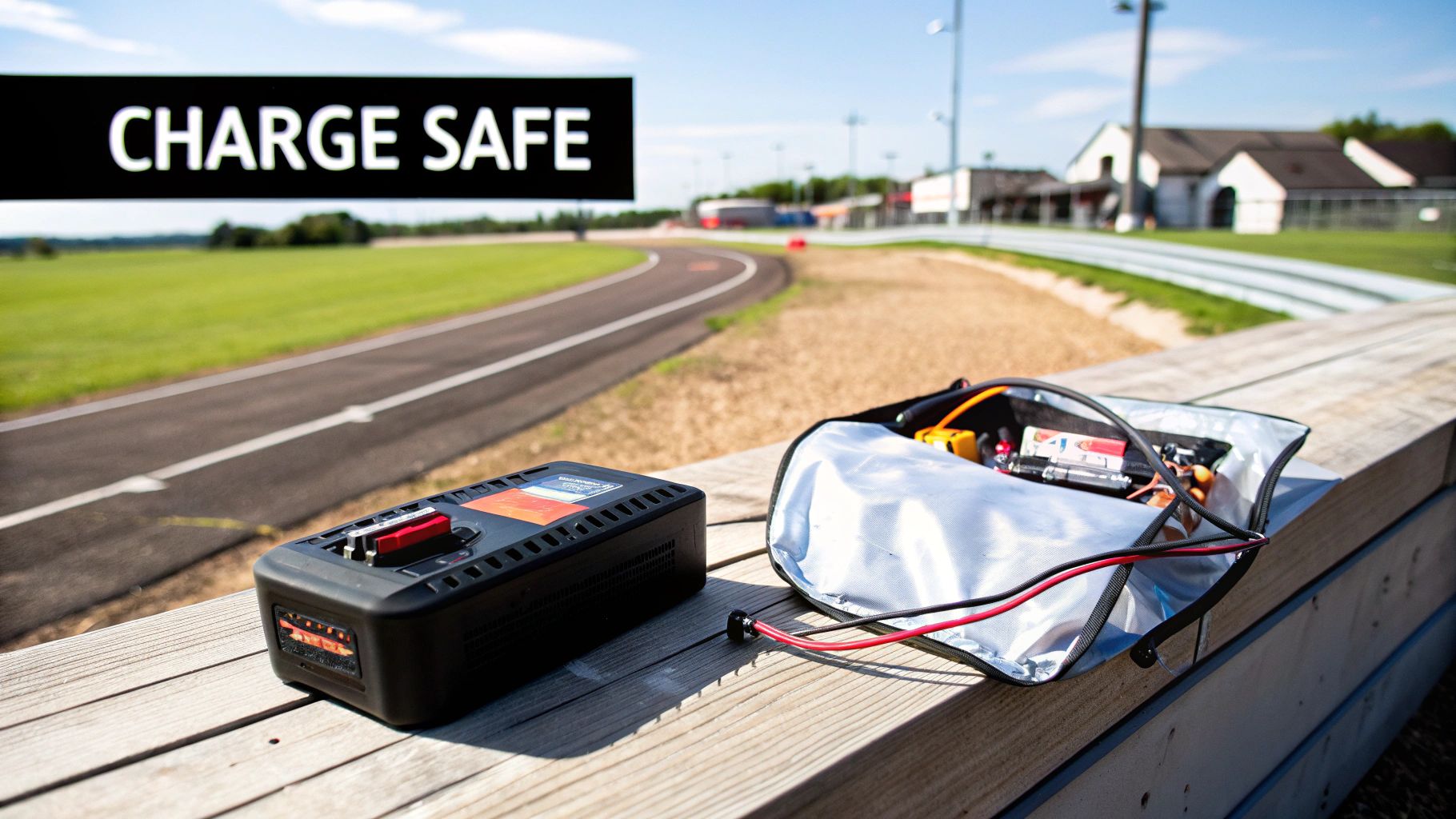
When you're running high-performance race cars, you're dealing with LiPo batteries, and that means safety is absolutely non-negotiable. While Spektrum Smart Chargers have some seriously robust protections built-in, good habits are always your best defence. Following these protocols will protect you, your gear, and your investment in the long run.
The first and most important rule is to always charge inside a LiPo-safe bag or container. This is your number one line of defence, period. These bags are inexpensive and made from fire-retardant materials designed to contain a potential fire, giving you precious time to react if something goes wrong.
Just as critical: never leave a charging battery unattended. You don’t have to stare at it the whole time, but stay within earshot and glance over at it periodically. This simple habit lets you spot trouble—like an odd error code or any physical signs of battery distress—before it has a chance to escalate.
Built-In Smart Protections
One of the best things about your Spektrum Smart Charger is that it's actively working to prevent accidents. It constantly monitors for dangerous conditions and will cut the charge process if it senses a problem. This intelligent system is a massive confidence booster at the track.
Here are the key protections working for you:
- Over-Current Protection: Stops the charger from pushing too much current into the battery, which is a major cause of overheating.
- Over-Voltage Protection: Makes sure individual cells don't go past their safe voltage limit, preventing the most common type of LiPo damage.
- Over-Temperature Protection: An internal sensor keeps an eye on the charger's temperature and will shut things down if it gets too hot, protecting the delicate electronics inside.
If your charger ever throws an error code, the first thing to do is safely disconnect the battery. Then, check the manual to figure out what the error means. Often, it's something simple like a poor connection, but it could also signal an internal fault with the battery itself.
Think of the charger's safety features and a LiPo bag as your seatbelt and airbags. You hope you never need them, but you absolutely want them in place every single time.
Long-Term Charger Maintenance
A little bit of preventative maintenance goes a long way in making sure your Spektrum charger performs reliably for many race seasons to come. It only takes a minute, and building a quick pre-race-day check into your routine is a great habit.
Just run through this simple checklist:
- Inspect All Cables: Give the AC power cord and your DC charge leads a quick look-over. Check for any signs of fraying, cracking, or exposed wires. Pay extra attention to your IC3/IC5 connectors to make sure they're clean and still provide a nice, snug fit.
- Keep Vents Clear: The internal fan is crucial for keeping things cool. Make sure the intake and exhaust vents are free of dust, tire additive gunk, or any other trackside debris. A quick blast from a can of compressed air works perfectly.
- Proper Storage: When you're done for the day, store the charger in a clean, dry spot. Try to avoid leaving it in a hot car or a damp garage, as those extreme temperatures and humidity can slowly damage the electronics over time.
Common Questions in the Pits
Even with the most straightforward gear, questions are bound to pop up. When you're trying to solve a problem between heats, you need direct, clear answers. This quick FAQ section tackles the most common queries racers have about their Spektrum Smart Charger, helping you find a solution fast and get back to focusing on your line.
Can I Charge My Non-Spektrum Batteries?
Yes, absolutely. While a Spektrum smart charger really shines with its own Smart batteries, it's also a fully capable manual charger for all your other LiPo and NiMH packs. You just need to tell it what to do.
Simply hop into the menu and select the correct battery chemistry, like LiPo. From there, you'll manually punch in the key parameters: cell count, battery capacity, and your desired charge rate. Just remember to always plug in the balance lead for your non-Smart LiPos to make sure every cell charges evenly and safely.
What Does the Storage Function Actually Do?
The Storage function is arguably the most important feature for protecting your expensive LiPo packs. It automatically brings each cell to its optimal storage voltage, which is right around 3.8V per cell.
You should get in the habit of using this feature any time you won't be using your batteries for more than a day or two. Storing a LiPo fully charged or completely dead causes irreversible chemical damage, which kills its lifespan and punch. Making Storage charging part of your post-race teardown routine is the single best way to protect your investment.
Think of storage charging as a cool-down lap for your batteries. It preps them for rest, ensuring they're healthy and ready for the next race day—ultimately saving you money on replacement packs over a season.
How Do I Handle Charger Error Codes?
First things first: safely disconnect the battery. Error codes are the charger's way of telling you something is wrong, and it’s best to stop the process immediately before something gets damaged.
Grab your charger’s manual for a specific list of error codes and what they mean. The common culprits usually include:
- Input Voltage Errors: Your power supply might not be providing enough juice to the charger.
- Reverse Polarity: You've plugged the main leads in backward. It happens.
- Battery Fault: The charger has detected a problem with a cell, like a serious voltage imbalance or high internal resistance.
Double-check all your connections, make sure your power supply is up to the task, and let the battery rest for a bit before trying again. If the same error keeps popping up, it could be a sign of a problem with the battery itself.
Do I Need a Special Power Supply?
That depends entirely on which charger model you have. An AC-capable charger, like the super popular S1100 G2, is designed to plug right into a standard wall outlet.
However, if you have a DC-only model or want to run your AC/DC charger from a generator or a big power pack at the track, you’ll need a separate DC power supply. Just make sure the power supply's wattage and amperage ratings are higher than the charger's maximum output. An underpowered supply will limit your charger's performance and is a common cause of those input voltage errors.
Ready to simplify your race day routine? Explore the full range of high-performance chargers and electronics at digital-rc and experience the competitive edge of a smarter power program. Find your perfect Spektrum Smart Charger today.